 PayRoamer
Get paid
wherever
you roam.
PayRoamer turns your phone into a complete point of sale. Ring up a sale, take payment, send a receipt and get paid out to your bank, wherever the work takes you.
- Set up in minutes
- Tax and tips handled
- Payouts to your bank
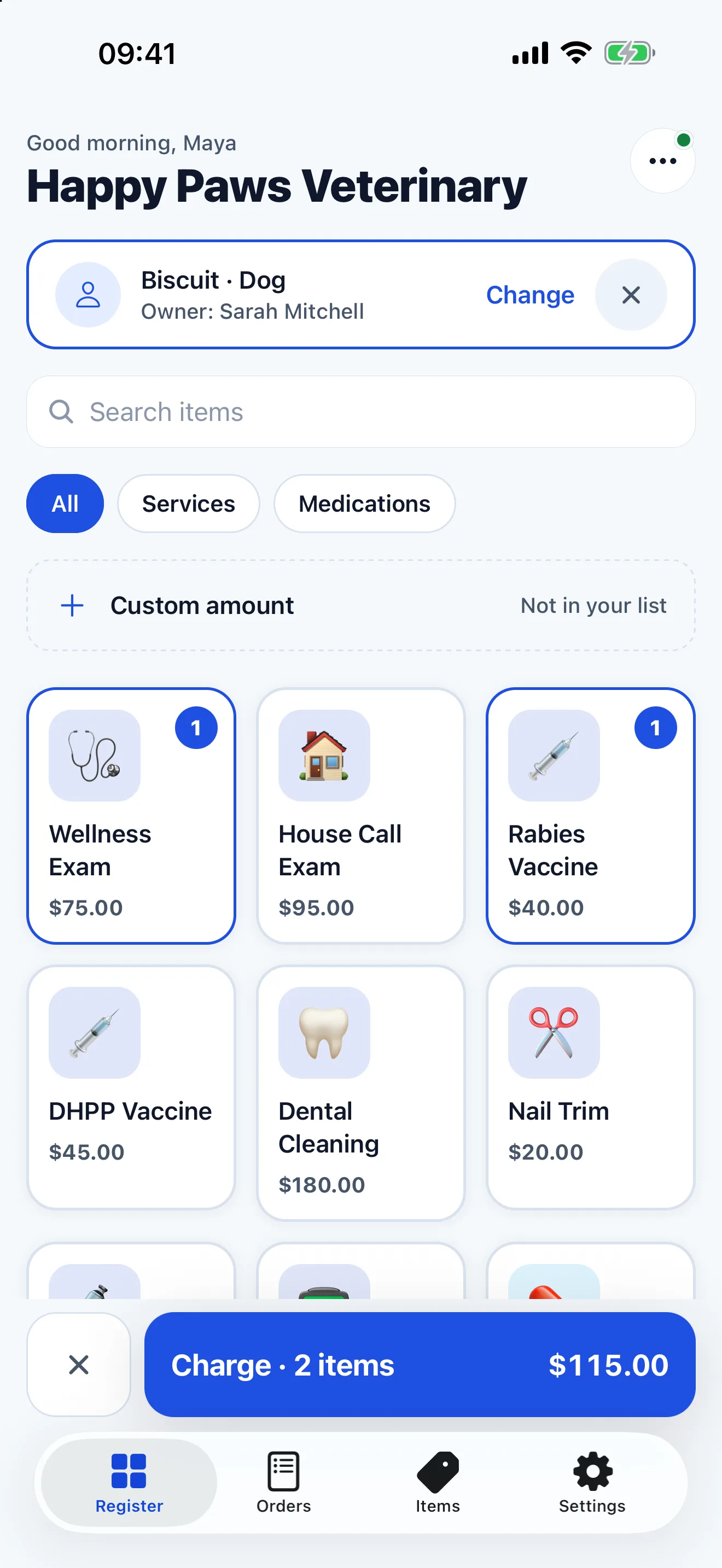
Ring up a sale in seconds
Your items sit in a tidy grid, grouped by category and one tap away. Search for anything, add a custom amount for what is not on your list, and mark items unavailable when you run out.
- Item grid with categories and search
- Custom amounts
- Optional tips on the pre-tax subtotal
Receipts, their way
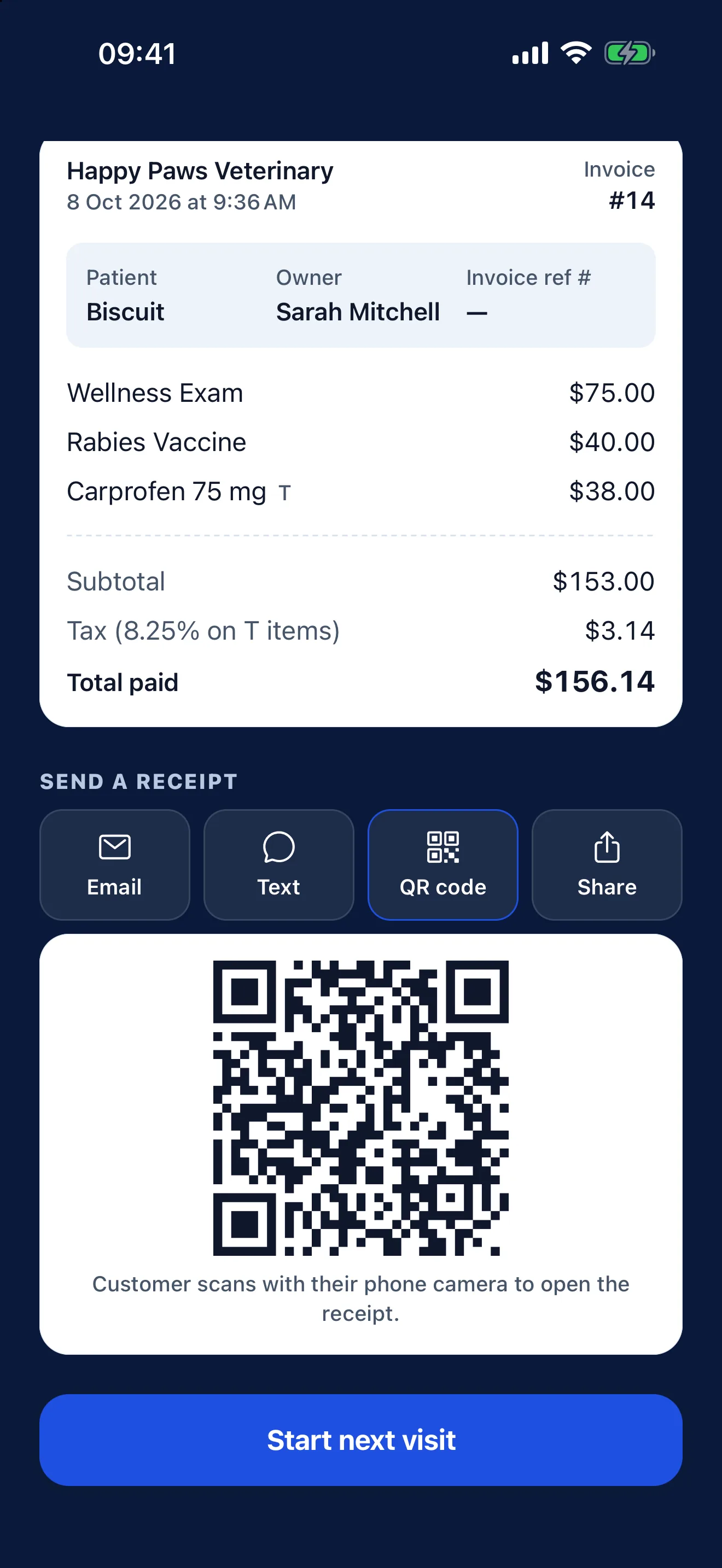
Email it, text it, show a QR code your customer can scan, or share it any other way. Every order has its own receipt page, so there is no printer to carry and no paper to run out of.
- Email, text message, QR code or share sheet
- A hosted receipt page for every order
- Receipts for approved and declined payments
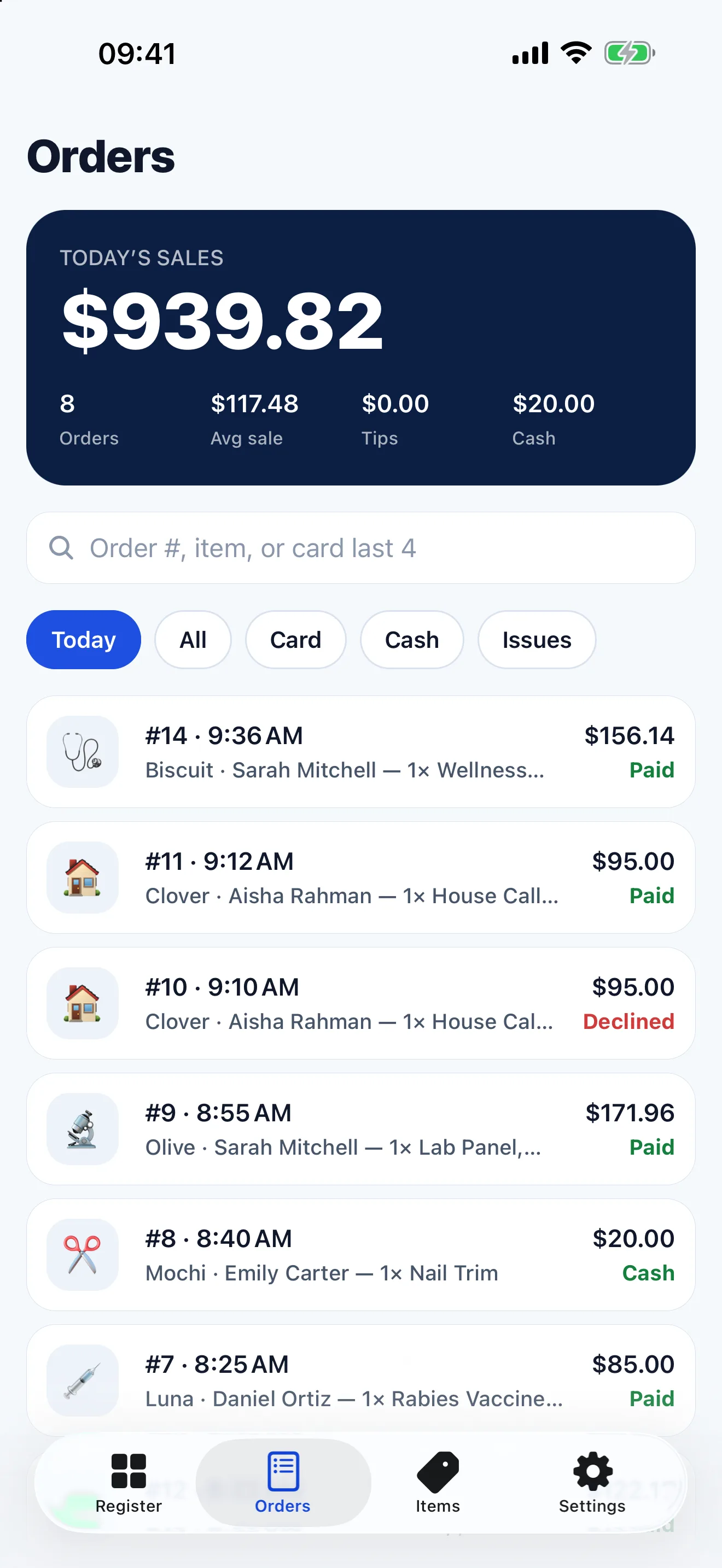
Your day, at a glance
See today's sales, the average ticket and how much came in by card and by cash. Search and filter every order, open one to see what was sold and how it was paid, and refund a card payment from the order.
- Today's sales, average ticket and tips
- Search and filters
- Refunds from the order
The details, done properly
The small things that decide whether a register helps or gets in the way.
Sales tax done properly
Set whether each item is taxable, then change tax on any single line while you check out. Tax is only ever charged on taxable lines.
Card and cash in one place
Record cash sales alongside card payments, so the day adds up without a second notebook.
A clear result, every time
Approved, declined or timed out: each payment ends on a screen that says exactly what happened.
Staff logins
Add logins for your team. Staff can take orders but cannot change your business settings.
Face and fingerprint unlock
Lock the app behind Face ID on iPhone, or your fingerprint or face on Android, so the register stays yours when the phone is on the counter.
Readable offline
Items, orders and account details are kept on the device, so the app opens instantly and your history stays readable without a signal.
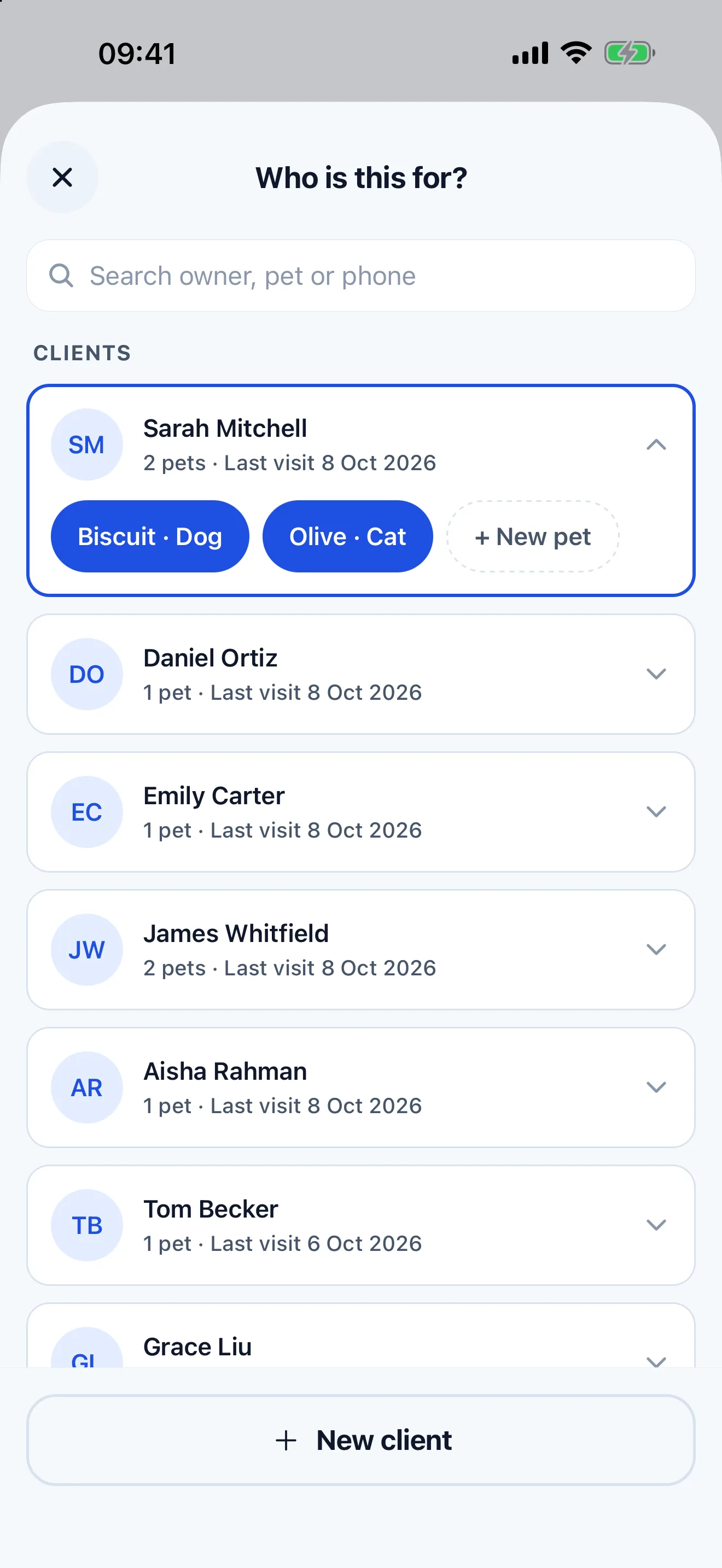
Built for your kind of business
Choose your business type when you sign up and PayRoamer starts you off with matching items, categories and wording.
- Veterinary practices
- Keep clients and their pets on file, build a visit invoice from services and medications, and put the client and patient on the invoice.
- Pet care and grooming
- Services and add-ons ready to ring up, with the wording a grooming business uses.
- Food trucks and street food
- A fast item grid for a queue, with tips, tax and cash covered.
- And many more
- Restaurants, cafés, bakeries, bars, salons, repairs and other small businesses that take payment in person.
Up and running in minutes
Everything happens in the app, from sign-up to your first sale.
- Step 1
Create your account
Sign up in the app and tell us about your business.
- Step 2
Add your items
Start from the ready-made list for your business type, or add your own.
- Step 3
Get verified
Verify your business with Stripe inside the app, with a live checklist while you are approved.
- Step 4
Take your first payment
Ring up your first sale and send the receipt.
Money in your bank, automatically
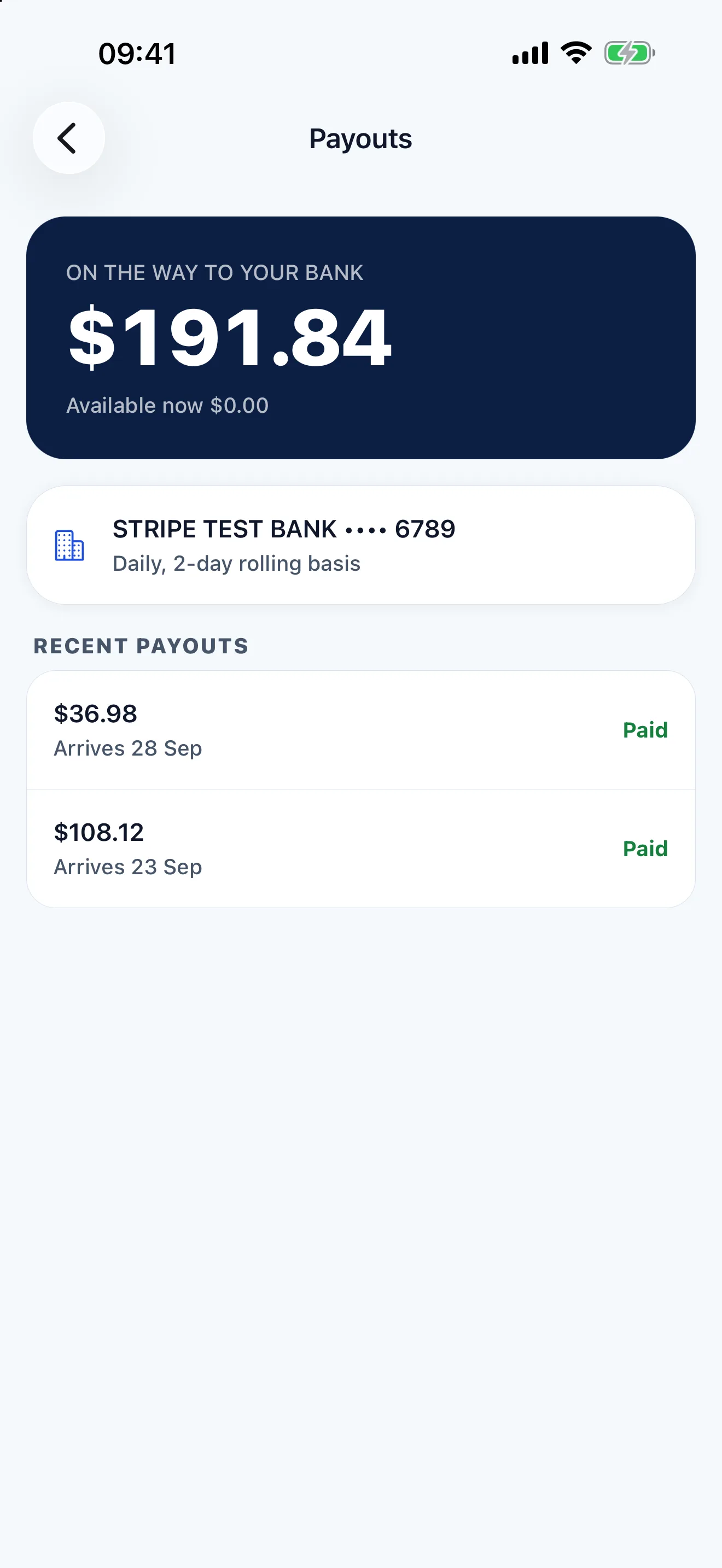
Card payments are processed by Stripe and paid out to your bank account. See your balance, your bank and your recent payouts in the app.
Questions, answered
Something else? Get in touch.
What do I need to use PayRoamer?
An iPhone, or an Android phone with NFC running Android 13 or later, and a business in the United States. There is no separate terminal to buy or charge.
Who processes the payments?
Stripe. You verify your business with Stripe inside the app, card payments are processed by Stripe, and Stripe pays out to your bank account. PayRoamer never stores full card numbers.
How does sales tax work?
Tax is set per item. Each item is either taxable or not, and you can change that on any line during checkout. Tax is charged only on taxable lines.
How are tips worked out?
Tips are optional and off by default. When you turn them on, customers can choose 10%, 15%, 20% or a custom amount, worked out on the pre-tax subtotal.
Can my staff use it?
Yes. Add staff logins from Settings. Staff can take orders but cannot change business settings, and each person can unlock the app with Face ID on iPhone, or a fingerprint or face on Android.
Can I change my business type later?
Not once you are approved to take live payments. Stripe approves a business for one kind of activity, so changing it needs a new verification. Choose the type that matches your business when you sign up.
How do I delete my account?
In the app, go to Settings, then Account, then Delete account. An owner deletes the business and everything in it; a staff member deletes only their own login. See the support page for details.
Your register, in your pocket
Point of sale on your phone. Ring up a sale, take payment and send a receipt, wherever you work.